
Package 01
01
100
Apple Music Plays
$1.00 Build Your PackagePut a defined play budget behind the song you are promoting. Orders start at $1 for 100 plays, with quantities up to 50,000. When you Buy Apple Music Plays, keep the purchase focused on your selected track, with 30-day refill coverage.
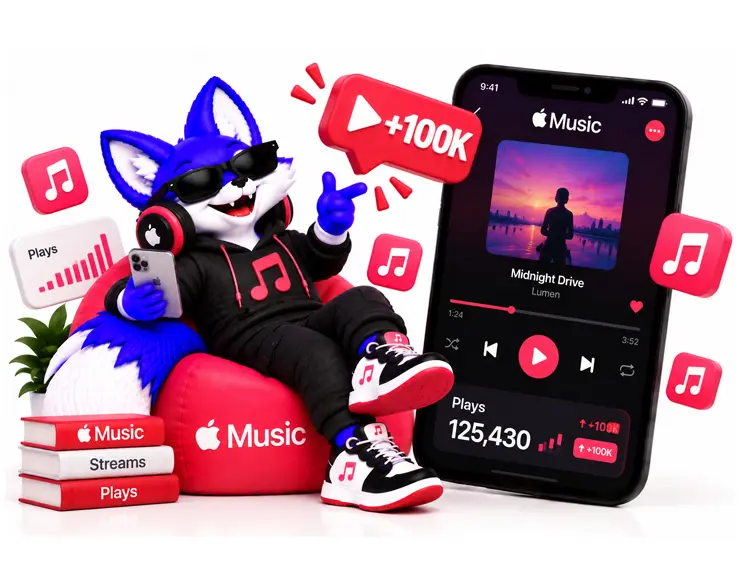
Set a budget for a specific Apple Music track with packages priced at $0.01 per play. Start with 100 plays for $1 or choose up to 50,000 plays for $500. Each package applies to the selected song, not an entire album or artist catalog. Larger quantities increase the number of ordered plays without guaranteeing unique listeners, playlist placement, royalties or music sales.
Apple Music Plays
$1.00 Build Your PackageApple Music Plays
$2.50 Build Your PackageApple Music Plays
$5.00 Build Your PackageApple Music Plays
$10.00 Build Your PackageApple Music Plays
$25.00 Build Your PackageApple Music Plays
$50.00 Build Your PackageApple Music Plays
$75.00 Build Your PackageApple Music Plays
$100.00 Build Your PackageApple Music Plays
$150.00 Build Your PackageApple Music Plays
$200.00 Build Your PackageApple Music Plays
$300.00 Build Your PackageApple Music Plays
$500.00 Build Your PackageChoose between 100 and 50,000 additional plays for your selected Apple Music song at $10 per 1,000. Check the track link, select a quantity that fits your budget and review the delivery conditions before placing your order.
Before you buy Apple Music plays, identify the exact recording you want to support. The original, a remix and a clean edit may have similar titles but different destinations.

Verify the artist, title and version. Copy the song's Apple Music share link and reopen it to check the destination. Keep the full copied address.

Select your quantity and save the order ID. If you manage the release, record the relevant song statistics and dates before delivery for a consistent later comparison.

Follow your order's delivery information. Allow for Apple's reporting delay before reviewing the corresponding song analytics. Keep the selected dates and song filters consistent.
Assign the purchase to the song named in your campaign. The order does not need to be treated as an undefined increase across your entire catalog.

The available range accommodates a limited first purchase and a larger track allocation. Set the amount around your own spending plan instead of treating the maximum as a recommendation.
Support is available before, during and after the order. Resolve link, quantity and delivery questions with the purchase information in one place.

Thirty-day refill coverage provides a stated period for raising delivery concerns. Keep the original song link and order ID available for the support review.
Buy Apple Music Plays for a specific song. Choose a quantity that fits your campaign budget, get support with order details, and receive 30-day refill coverage.
Read the unit behind the headline number before you buy Apple Music Plays. A package of plays does not automatically describe unique listeners, complete-song listening or a specific audience location.
| Purchase Detail |
MifaSocial
Plays for a selected Apple Music song
|
Other Market Options
Compare units and included outcomes
|
|---|---|---|
| Purchased Unit |
Plays for the selected song.
|
Check whether the offer concerns plays,
listeners or a bundled promotion.
|
| Order Range |
100 to 50,000 plays per order.
|
Minimum and maximum quantities vary.
|
| Country Selection |
No country targeting.
|
Depends on the provider and package.
|
| Refill Coverage |
30-day refill period.
|
Duration and conditions vary.
|
| Unique Listeners |
No matching unique-listener quantity
is promised by the play package.
|
Confirm whether unique listeners
are an explicit deliverable.
|
| Commercial Outcomes |
No guaranteed royalties,
editorial placement or chart position.
|
Evaluate those claims separately
from the number of plays offered.
|
Compare plays with plays: An Apple Music play package is intended to deliver a specified number of plays to one selected song. It does not establish how many different listeners generated those plays, how long each person listened or whether any resulting activity will produce royalties, recommendations or chart movement. Keep those outcomes separate when evaluating offers.
The reason to buy Apple Music plays should identify a particular song and budget. These situations help narrow the destination before you decide on a quantity.
Your video clips, release announcement and campaign links all feature one recording. Keep that same version as the order destination, so the purchase remains connected to the song your campaign actually presents.
A new performance video or anniversary gives you a reason to revisit an existing song. Its age alone does not determine the budget. Check its current availability and keep the new campaign dates in your records.
The remix may have different collaborators, artwork and a separate link. Decide which recording the campaign supports. Plays ordered for the original should not be assumed to transfer to the remix.
If one song leads the campaign, use its direct destination. An EP containing six songs does not mean a single play order is automatically divided into six equal allocations.
Apple Music Plays Buying Guide
A useful play campaign starts with a precise brief: which recording receives the order, how much you intend to spend and which result you will review afterward. Set those details before you buy Apple Music plays.
A release can contain several songs while the campaign has one clear lead. Identify that recording first. Use the track featured in your current creative, release links or other promotional material.
There is no universal rule that every song needs the same purchased quantity. If you intend to allocate plays across several recordings, keep a separate destination and quantity for each. An album link should not be treated as an instruction for automatic distribution.
Keep those allocations with your MifaSocial order references. A simple song-by-song record is easier to review than one combined campaign total.
An Apple Music song link can contain
an album address together with a song identifier,
such as an ?i= parameter.
Seeing “album” in the address does not,
by itself, mean you copied the wrong link.
Copy the song's sharing link and keep it intact. Reopen it to confirm the intended track. Removing part of the address to make it shorter can change which item the link identifies. A screenshot of the artwork cannot replace that destination.
Plays describe playback activity. Unique-listener measures concern distinct listeners within the reporting period. The same person can contribute more than one play, so a package of 10,000 plays is not a promise of 10,000 different people.
This also explains why an artist-level following belongs in a different column of your campaign notes. Buy Apple Music Followers concerns a separate artist action. A play does not automatically establish an artist Favorite or an ongoing fan relationship.
A clean edit, explicit version, live recording and remix can share most of a title. Compare the version label, artist credits and duration before submitting the link. Similar artwork does not make two recordings interchangeable.
A practical example: your short videos use a radio edit, but the link opens the extended mix. Resolve that difference before ordering. Otherwise, the destination and the campaign creative describe different recordings from the start.
Apple may group a song's performance across multiple releases in its analytics. Keep the exact submitted link alongside the reporting view you use.
Apple describes a recorded Play as song playback lasting more than 30 seconds. That definition does not establish that the entire recording was heard. This package does not promise a full-track completion rate or a particular listening duration.
At the stated daily pace, 50,000 plays represent approximately two to three delivery days after starting. Add the possible starting wait when planning around a release date. These are estimates, not fixed completion appointments.
Apple's standard analytics refresh daily, use UTC dates and can take 48 hours to display new data or updates. A delivery timestamp and a dashboard update therefore need not appear together.
For a consistent review, keep the song filter, reporting period and time basis unchanged. Comparing today's incomplete view with yesterday's complete day can be misleading.
A $50 allocation buys 5,000 plays at the stated rate. A $100 allocation buys 10,000. The arithmetic describes your purchase; it does not predict royalties, sales or the value of a newly acquired fan.
When you buy Apple Music plays, set the spending limit before considering the largest available package. A smaller first order can help you review the service process. It cannot prove the song's organic market demand.
If your objective is to learn whether people genuinely connect with the song, review voluntary listening and feedback separately. Purchased activity should remain identifiable in your campaign records.
A forthcoming release may already have an Apple Music page or pre-add option. That does not mean every track is available for full playback. Open the exact song and check its availability before submitting a play order.
Apple's pre-add guidance explains the separate role of pre-release Library activity. Do not assume this play package includes pre-adds or schedules itself automatically for release day.
Apple Music links may include a country storefront,
such as /us/.
That identifies a catalog context;
it does not instruct this service
to send plays from accounts in that country.
Country targeting is unavailable here.
Also check whether the recording has availability restrictions. A song opening for you does not establish identical availability in every territory. Raise access problems with support before relying on that link for an order.
Use the same song and date range when reviewing results. Apple's Trends instructions explain how to select the activity and filters. Record other promotions running in the same period, including press, videos and advertising.
A larger total alone does not show which campaign caused it. Keep separate records for plays, new followers and saved collections. For example, Buy Apple Music Playlist Followers concerns playlist Library adds, rather than a guaranteed number of song plays.
Apple prohibits manipulation of play counts, including through compensated or automated activity. Its stream-manipulation guidance describes detection, reporting and potential consequences. This purchase is not Apple-authorized promotion. Plays may be excluded, and platform or distributor action can affect a release.
Thirty-day refill coverage is a MifaSocial service condition. It does not guarantee royalties, restore a removed release or override Apple's decisions. Keep any delivery concern tied to the original order ID and song link.
Verify the recording, preserve its full link and choose a quantity within your spending limit. Buy Apple Music plays with a clear delivery brief and a separate plan for reviewing listening results.
No. Plays and unique listeners are different measures. One listener can contribute multiple plays. This package does not promise a matching quantity of distinct listeners.
Apple Music can identify a song through an album URL with an additional song identifier. Keep the full copied link, including its parameters, and reopen it to verify the intended track.
Do not assume one quantity will be divided across every track. This page describes a selected-song order. Any album-wide or multi-song allocation needs to be agreed with support before purchase.
A pre-add page does not establish that the song is playable. Check the exact recording after it becomes available. This package does not include pre-adds or automatic release-day scheduling.
Do not assume delivery transfers between recordings. The original, remix, clean edit and live version may have different destinations. Submit the link for the recording your campaign supports.
Apple Music reporting is not synchronized with every service delivery update. Allow for Apple's reporting delay and compare the same song and date range before requesting a delivery review.
No. The storefront in the URL does not select the country of delivered activity. This service does not offer country targeting.
You may not have access to the song's Apple Music for Artists analytics. Establish the available delivery evidence with support before buying. A public song page is not a substitute for the release team's reporting access.
No full-track completion rate or royalty amount is promised. The purchased unit is a play. Financial reporting and payment decisions remain separate from the service order.
No. The 30-day refill period concerns the purchased service. It does not override Apple or distributor decisions, guarantee that plays remain eligible, or restore content removed from the platform.
Have the correct Apple Music song link ready? Select the number of plays you need and review the order conditions before building your package.
Build Your PackageA playlist added to a Library is not a track play. Artist follows and album-level actions are different again. See which Apple Music service belongs to the music asset you want to support.