
Package 01
01
100
Bandcamp Plays
$0.50 Build Your PackageBandcamp brings listening and buying together on the same release page. Buy Bandcamp Plays for the exact recording you want visitors to hear, starting at $0.50 for 100 plays. Select up to 100,000 plays per order, with gradual delivery and 30-day refill coverage.
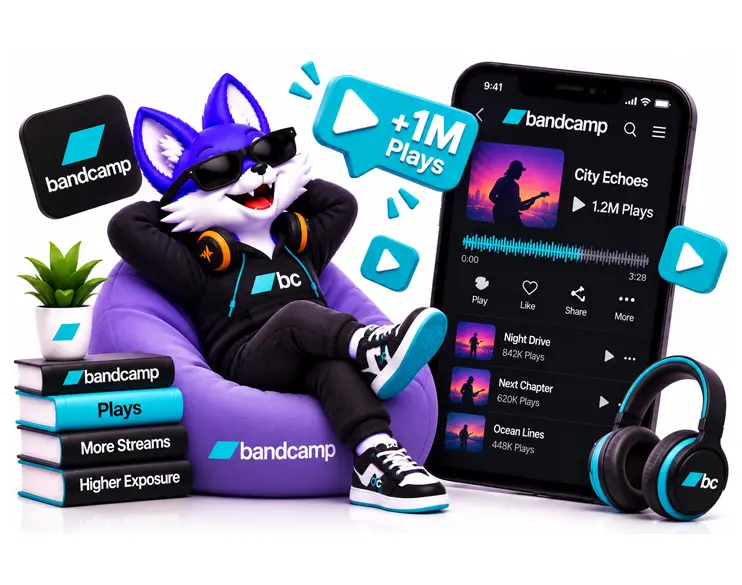
Bandcamp Plays cost $5 per 1,000, equivalent to $0.005 for each play. A $10 allocation covers 2,000 plays, while $50 covers 10,000. All 12 packages use the same rate, from the 100-play minimum to the 100,000-play maximum. The order applies to the playable Bandcamp release accepted by the selected service, not to every release in your catalog.
Bandcamp Plays
$0.50 Build Your PackageBandcamp Plays
$1.25 Build Your PackageBandcamp Plays
$2.50 Build Your PackageBandcamp Plays
$5.00 Build Your PackageBandcamp Plays
$12.50 Build Your PackageBandcamp Plays
$25.00 Build Your PackageBandcamp Plays
$50.00 Build Your PackageBandcamp Plays
$75.00 Build Your PackageBandcamp Plays
$100.00 Build Your PackageBandcamp Plays
$125.00 Build Your PackageBandcamp Plays
$250.00 Build Your PackageBandcamp Plays
$500.00 Build Your PackageChoose between 100 and 100,000 Bandcamp Plays at a fixed rate of $0.005 each. Confirm that your release can stream, select the correct destination URL and account for the starting window before placing the order.
Open the intended release outside your artist login. Check the recording, artist, and streaming availability. Prepare the direct release or track URL requested by the selected service.

Sign up, select the play service, and enter the destination and quantity. For an album plan, confirm how the quantity is allocated before submitting the link. Keep the total within your intended budget.
After you buy Bandcamp Plays, keep the order ID alongside dated playback readings. Review the relevant recording in Bandcamp Stats using a consistent reporting period. Purchases and downloads are separate results.
A pre-order page or album link can raise questions before payment. MifaSocial support is available to help check the selected service and intended destination.

The 100-play minimum costs $0.50. Start with a limited allocation while checking your ordering process and the Stats view you will use to assess delivery.
If you buy Bandcamp Plays for a larger project, the published daily range gives you a basis for estimating delivery time. Match the allocation to your review date.

The purchase includes 30-day refill coverage. If a delivery-related decrease needs attention, raise it against the original order with the destination and dated records.
Buy Bandcamp Plays starting at $0.50 for 100 plays. Confirm your release destination, assess delivery through Bandcamp Stats, and plan larger quantities around the published daily range with 30-day refill coverage.
A defined number of plays is different from a general music-promotion campaign. Compare the quantity being delivered, the supported release format and the conditions attached to each service before selecting a package.
| Purchase Detail |
MifaSocial
Defined Bandcamp play quantities
|
Other Market Options
Conditions depend on the selected offer
|
|---|---|---|
| Pricing Unit |
$5 per 1,000 plays
|
Check whether the quote prices
plays or broader campaign work.
|
| Order Range |
100 to 100,000 plays per order.
|
Check the minimum and maximum
for the selected offer.
|
| Daily Delivery |
Approximately 20,000 to 30,000
plays per day.
|
Ask for the stated delivery pace
and completion estimate.
|
| Refill |
30-day refill period.
|
Confirm whether coverage is included
and how long it lasts.
|
| Album Allocation |
Confirm supported format and
allocation before ordering.
|
Check whether the quantity means
total plays or plays per track.
|
| Country Selection |
Not available.
|
Verify any location-specific
delivery claim.
|
| Full-Track Listening |
No completion percentage
specified as a guarantee.
|
Request explicit terms rather
than inferring listening retention.
|
| Music Purchases |
Not included in the playback quantity.
|
Distinguish listening activity
from actual music sales.
|
Bandcamp plays are not the same as music purchases: A play represents playback activity, while a purchase is a separate transaction made by a listener. Ordering 10,000 Bandcamp Plays does not mean 10,000 people will buy or download the release. For albums containing multiple tracks, confirm whether the submitted URL is supported and how the total play quantity will be distributed. The service also does not specify a guaranteed percentage of each track that will be played.
These illustrative situations show why the same play quantity can require different preparation.
The page is published, but only selected tracks can stream. Identify the playable recording before choosing a destination. The presence of the full track list does not make every song available for delivery.
You plan to buy Bandcamp Plays around a vinyl or cassette reissue. Keep the playback allocation separate from copies sold. A larger listening figure is not a reservation for the physical edition.
Use the specific artist and recording in the brief. When assessing delivery, drill down to that destination rather than relying on the label's combined playback activity.
A private listening link is different from a public release URL. Confirm whether the service accepts it before purchasing. Do not change the privacy of an unreleased project merely to fit an assumed order requirement.
Bandcamp Plays Buying Guide
A Bandcamp release can be public, available to purchase, and still have tracks that visitors cannot stream. Start with playback availability. Then decide the quantity, the destination, and the evidence you will use to review the order.
Open the destination outside your artist login and check the intended recording. Bandcamp gives artists unlimited playback of their own tracks while logged in, so that session does not show every restriction a visitor may encounter.
Before you buy Bandcamp Plays, confirm that the track is enabled for streaming. Keep your existing access settings documented and check any service-specific requirements with support before changing them.
A pre-order may display the whole track list while only selected recordings are available to hear. Bandcamp explains this setup in its Artist Guide. The tracks shown on the page and the tracks available for a playback order can therefore differ.
Identify the recording currently open to listeners. If your intended track becomes available only on release day, settle that timing before assigning the order. A purchase button on the album page does not prove that the whole album can already be played.
It means the playback quantity described by the selected service. It does not specify the same number of different listeners. Repeat listening, audience size, and total playback are different measurements.
A page visit is also different from listening. Someone can read the release notes or inspect merchandise without starting a track. Use playback information to assess a play order, rather than treating every visit as a delivered play.
Write down whether your target is a single recording or a total spread across a project. For an eight-track album, 1,000 plays in total is different from 1,000 on each track. The second arrangement would represent 8,000 plays.
Confirm both album-link support and allocation in the selected service instructions. Neither the album's track count nor its running time automatically multiplies the purchased quantity.
Order brief: A clear brief identifies the release URL, intended track or tracks, total quantity, and any required allocation. Resolve those details before paying for a multi-track plan.
The unit rate makes a limited allocation straightforward: $5 covers 1,000 plays, $25 covers 5,000, and $100 covers 20,000. Decide what belongs in the playback budget before expanding the quantity.
You do not need to buy Bandcamp Plays at the maximum to have a defined campaign. A smaller order with a clear destination and review method is easier to assess than a larger purchase whose purpose keeps changing.
Log in to the account that manages the release and open its Stats. Record the relevant playback figure and reporting period before the order begins. During delivery, return to the same recording and keep the date range consistent.
Bandcamp describes its native statistics in its artist tools overview. For labels, a combined account view can contain activity from several artists, so use the appropriate release detail rather than a roster-wide total.
Keep order status and platform readings as separate records. If other promotion runs simultaneously, the total change may include activity from multiple sources. A dated baseline helps explain the movement, but it does not independently attribute every play.
Bandcamp's audio-preview explanation distinguishes its listening model from fixed 30-second snippets. That describes what the platform makes available to hear. It does not establish how long each delivered play from a third-party order lasts.
No completion percentage, average listening duration, or full-track retention guarantee has been specified for this service. Review the available playback detail in your account without treating a total as proof that every listener reached the end.
Bandcamp combines music discovery with direct purchasing, but a play order is not a record purchase. It does not place an order for vinyl, redeem a download code, or create a paid subscription. Do not calculate a guaranteed income from the play total.
Release-level supporter icons also have their own meaning. Bandcamp's Supported-by guidance explains the qualifying purchase or redemption and account requirements. Playback alone does not create those icons.
If the objective is an account's following, Buy Bandcamp Followers concerns a separate service. Keep listening, following, and commercial support distinct when judging the campaign.
Based on the published daily range, 50,000 plays represents approximately two to three delivery days after activity begins. The 100,000 maximum represents approximately four to five. The initial start window is additional.
These are estimates for planning, not guaranteed completion appointments. Keep the order ID, original URL, quantity, and dated Stats readings together.
If a delivery-related decrease needs review during the 30-day refill period, contact MifaSocial with those records. Refill support and the no-start refund condition are different provisions.
A draft, private press stream, and public release page are different destinations. Bandcamp's private-streaming documentation describes links created through Bandcamp Pro. Their availability on the platform does not establish that this play service accepts them.
Confirm the selected service's accepted link type. Contact support before replacing the recording, disabling streaming, or changing the destination while an order is active. Do not assume a new upload inherits the original order.
This service has no country selection. A higher playback figure cannot establish interest in a particular local scene or shipping market. Use separate evidence for geographic demand and merchandise planning.
MifaSocial is a third-party provider. Bandcamp's Acceptable Use and Moderation Policy restricts fraudulent activity, impersonation, and unsolicited promotion. Refill coverage is not approval of a delivery method or protection from platform moderation. No sales, chart position, or editorial feature is guaranteed.
Before you buy Bandcamp Plays, have the intended recording, accepted URL, quantity, and starting Stats record ready. Review the order details before submitting the purchase.
Prepare the public track or release URL requested by the selected service. Check the recording and playback availability. Do not substitute an artist homepage, checkout page, or download link without confirming that it is accepted.
Bandcamp gives logged-in artists unlimited playback of their own tracks. A visitor may encounter different access conditions. Check the public experience before assuming that your own listening session proves availability.
Not necessarily. A pre-order can show tracks that are not yet available for streaming. Identify the playable recording and confirm the accepted destination before purchasing.
Do not assume that a private link is supported. Bandcamp Pro private streaming is a separate platform feature. Confirm the service's accepted URL type with support before submitting a private or draft destination.
Confirm allocation before ordering. A total of 8,000 plays across an album is different from 8,000 plays on every song. The number of tracks does not automatically multiply the purchase.
No. The default purchase prompt concerns a fan's repeated full playback before buying. It is not a three-play lifetime limit for the release across all listeners.
At 20,000 to 30,000 plays per day, allow approximately four to five delivery days after activity begins, plus the initial start window. This is an estimate rather than a fixed completion date.
Use the relevant recording's playback information in Bandcamp Stats. Keep the reporting period consistent and compare dated readings alongside the original order status. Sales and downloads are separate measurements.
The stated purchase is a play quantity. No full-track listening duration, completion percentage, or average retention level is specified as a delivery guarantee.
No unique-listener quantity is guaranteed. Playback activity and the number of different people listening are separate measures. Do not treat one play as proof of one new fan.
No purchases, downloads, or supporter icons are included in the playback quantity. Bandcamp's Supported-by feature has separate qualifying purchase or redemption and account requirements.
When you buy Bandcamp Plays through this service, country selection is not available. The order should not be treated as a geographically targeted listening or sales campaign.
Ready to prepare your Bandcamp Plays order? Confirm the playable release URL, select your quantity, and review the delivery conditions before purchasing.
Build Your Package